What is a direct sale?
A tab is perfect when a customer wants to drink throughout the evening and pay at the end. But sometimes that's overkill. A visiting supporter buying one drink, a parent grabbing a quick coffee, a child with exact change — these customers don't need a tab. They just need to pay and go.
Serve POS calls this a direct sale. No tab is opened, no customer name is required. You select the products, go straight to payment, and the sale is recorded immediately. The whole thing takes under 10 seconds.
When to use a direct sale
Direct sales are ideal for situations where speed and simplicity matter most:
- Tournament concession stands where you're serving dozens of people quickly
- Walk-up customers who pay immediately and won't be back
- Clubs that always collect payment on the spot and never use tabs
- Busy match days where opening a tab for a single item would slow things down
If your club rarely uses tabs and mostly sells on the spot, you can run Serve POS entirely in direct sale mode — tabs are available but never required.
How it works in three steps
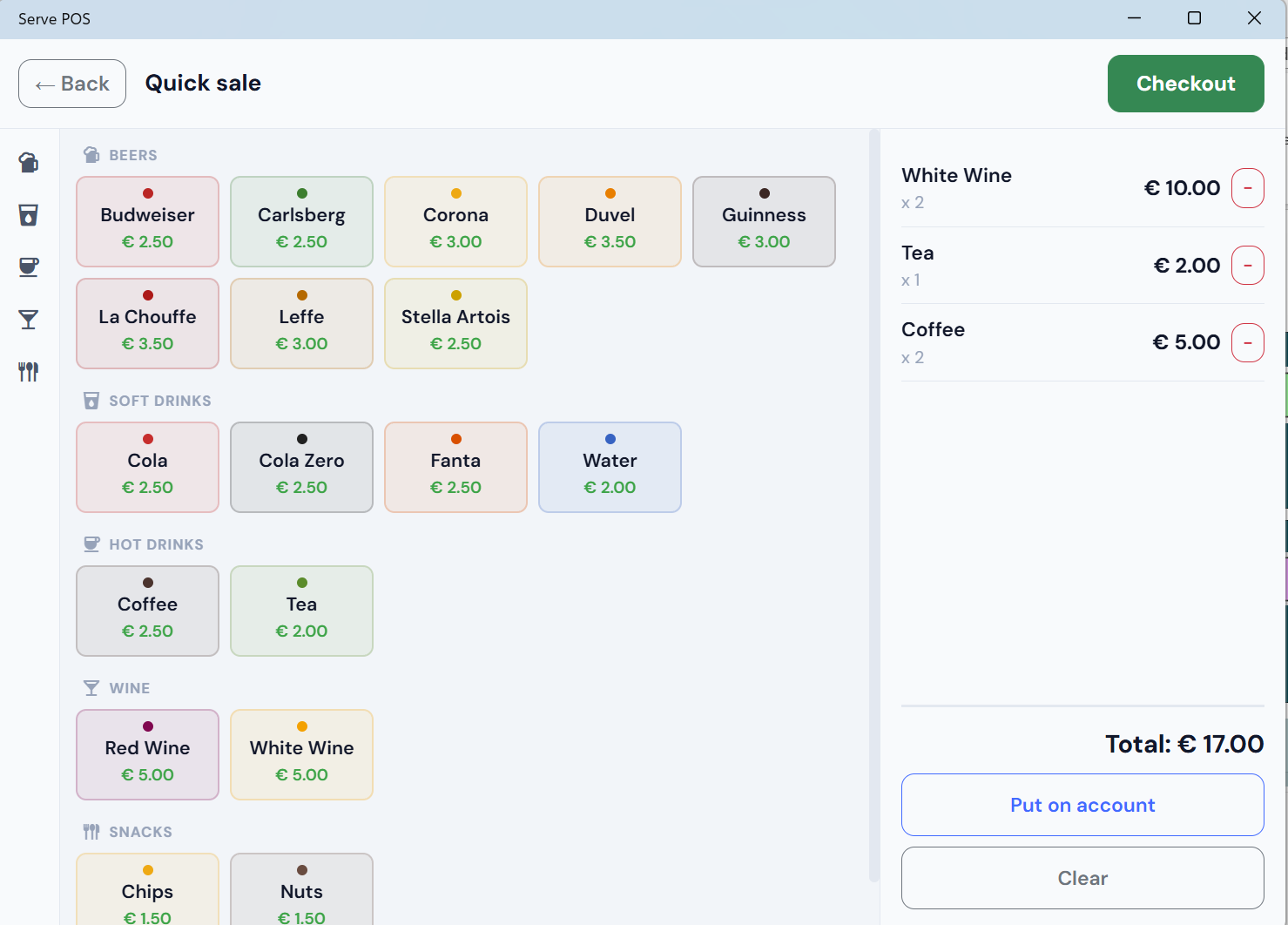
From the main screen, tap Direct sale instead of opening a tab. The same product grid appears — same categories, same prices, same layout as for tab sales.
Select your products. The running total appears at the bottom. When you're done selecting, tap the total to go to the payment screen.
Choose the payment method — cash, Bancontact, card, tokens, or bank app — confirm, and the sale is recorded. The screen returns to the main view, ready for the next customer.
Changed your mind? If a customer decides they'd rather run a tab, simply tap New tab instead — you're always one tap away from opening a full tab.
All payment methods available
Direct sales support exactly the same payment methods as tab settlements: cash, Bancontact QR (all three modes), card terminal (SumUp or myPOS), tokens, and bank app. There is no reduced set of options for direct sales.
→ Read more about all available payment methods
Direct sales in reports
All direct sales appear in the end-of-day Reporting screen. They are shown separately from tab settlements, so the treasurer can see both totals clearly at a glance. The CSV export includes both categories, ready to import into any accounting or spreadsheet tool.
Direct sales are counted by payment method just like tab payments, so the cash drawer reconciliation and QR payment totals always add up correctly across both sale types.